Understanding the TradingView Platform
In the rapidly evolving landscape of financial trading and market analysis, having the right tools at one’s disposal can significantly enhance trading effectiveness. TradingView stands out as a powerful platform that caters to traders of all levels, providing unrivaled access to multi-market data, professional-grade charts, and customizable alerts. Whether you are a novice trader seeking foundational insights or a seasoned professional employing complex strategies, TradingView offers an intuitive interface designed to meet diverse trading needs.
Overview of TradingView Features
TradingView encompasses a variety of functionalities that facilitate an integrated trading experience. Key features include:
- Real-time data for stocks, forex, CFDs, and cryptocurrencies
- Advanced charting tools with multiple timeframes and overlay options
- Customizable alerts to notify users of critical market developments
- Community features allowing for the sharing and discussion of trading ideas
- Market screener tools to filter opportunities based on set criteria
With these tools, TradingView empowers users to analyze market trends effectively, monitor price movements in real-time, and receive timely alerts, enabling informed trading decisions.
How TradingView Enhances Market Analysis
One of TradingView's standout capabilities is its extensive charting options. Users can easily switch between various timeframes (from seconds to months), apply technical analysis indicators, and employ drawing tools to mark key support or resistance levels. Additionally, the platform supports multiple chart types, including candlestick, line, and area charts.
By integrating social features, TradingView allows traders to share insights, strategies, and analyses with a global community, enhancing collaborative learning. This not only enriches individual trading strategies but also fosters a culture of shared knowledge that is invaluable in today’s fast-paced trading environment.
Benefits of Multi-Device Access
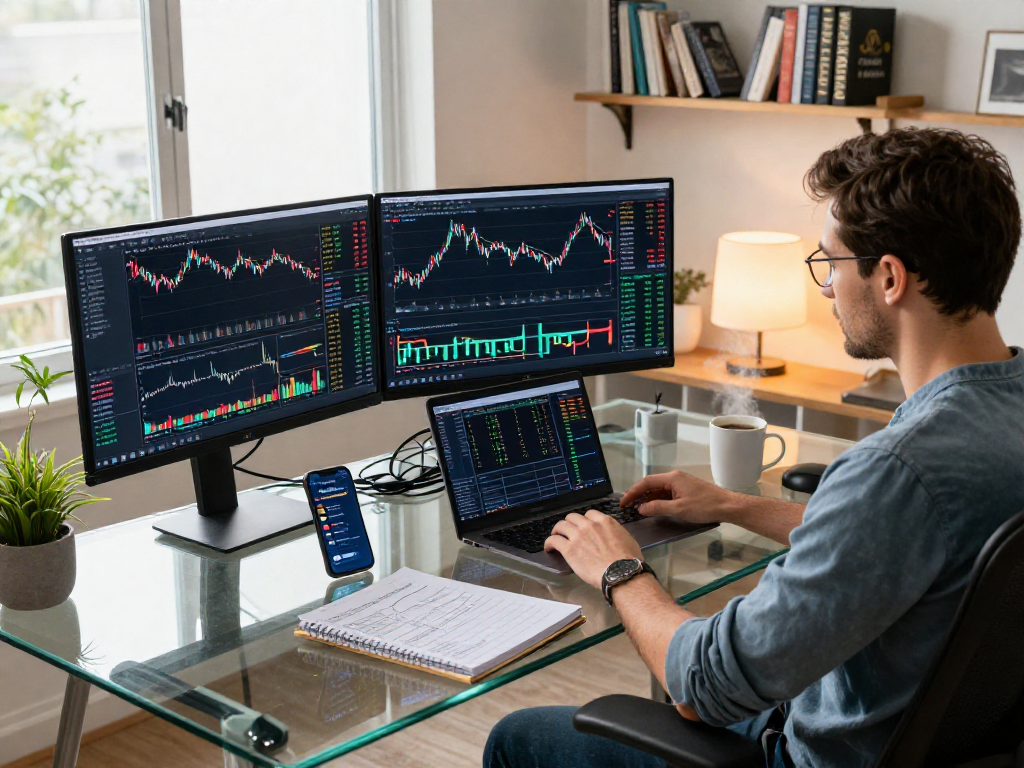
TradingView's design ensures that traders can access their accounts from any device—be it a desktop, tablet, or smartphone. This flexibility allows users to stay connected to the markets and manage their trades effectively, regardless of their location. Moreover, the platform synchronizes preferences and settings across devices, creating a seamless trading experience.
Key Analytical Tools in TradingView
Using Charts for Technical Analysis
Technical analysis is a critical component of successful trading, and TradingView equips users with sophisticated charting tools to facilitate this. Traders can overlay various indicators such as moving averages, Bollinger Bands, and RSI directly onto their charts. These indicators help traders identify trends and potential entry or exit points.
Moreover, the ability to save custom layouts and studies allows traders to tailor their analysis setup to meet specific needs, enhancing efficiency and accuracy in decision-making.
Setting Up Price Alerts Effectively
The alert feature in TradingView is designed to minimize the need for constant monitoring of market prices. By setting up customizable alerts based on price levels or specific technical conditions, traders can receive immediate notifications through their preferred channels—be it email, SMS, or app notifications.
This functionality not only saves time but also ensures that traders do not miss critical market moves, allowing them to react swiftly to changes in market conditions.
Utilizing Market Screener for Opportunities
TradingView's market screener is an essential tool for identifying potential trading opportunities. Users can filter assets based on various criteria such as price movements, trading volume, and technical indicators. This functionality enables traders to focus their efforts on stocks or assets that are meeting their specific trading criteria, making the analysis process more efficient.
Implementing TradingView Strategies
Creating Customized Layouts
Customization is at the heart of the TradingView experience. Users can create personalized dashboards that display the information most pertinent to their trading strategies. This includes setting up multiple charts within a single layout to view different assets or timeframes simultaneously.
Such customization allows for a more organized workflow and helps traders analyze complex market data without feeling overwhelmed.
Backtesting Strategies with TradingView
Backtesting is crucial for validating trading strategies against historical data. TradingView offers a robust backtesting feature that allows traders to simulate their strategies over past market conditions. By evaluating what worked and what didn’t, traders can refine their approaches before executing live trades.
This analytical capability is vital for improving trading skills and developing a disciplined trading mindset.
Integrating TradingView with Other Tools
For those looking to take their trading to the next level, TradingView can be integrated with various third-party tools and API services. This synergy allows for enhanced functionality, enabling traders to automate their strategies or connect with additional data sources, further enriching their trading experience.
TradingView for Beginners: Getting Started
Setting Up Your Account
New users looking to harness the power of TradingView can easily set up their accounts by following a straightforward registration process. With options for both free and premium plans, traders can choose the best fit based on their trading requirements. The free plan alone provides ample features to begin trading, including access to basic charting tools and real-time market data.
Common Challenges New Users Face
Despite its user-friendly interface, beginners may encounter challenges when navigating TradingView. Some common issues include understanding how to effectively use technical indicators, setting up alerts, and customizing charts. However, TradingView provides robust educational resources, including tutorials and a community forum, to help users overcome these hurdles.
Best Practices for Beginners
For novice traders, it is important to start with a clear trading plan. Setting realistic goals, managing risk, and practicing patience can make a significant difference in trading results. Moreover, leveraging TradingView's community features to learn from experienced traders can greatly enhance a beginner's understanding of market dynamics.
The Future of Trading with TradingView in 2026
Emerging Trends in Market Analysis
The financial landscape in 2026 is expected to evolve significantly, with advancements in technology paving the way for new trading strategies and tools. Machine learning and artificial intelligence are set to play a more integral role in market analysis, and TradingView is likely to incorporate these technologies to offer smarter insights and predictive analytics.
Enhancements Expected in TradingView
As the platform continues to grow, users can anticipate enhancements in its existing features and the introduction of new tools. Enhanced charting capabilities, more extensive integration options with external platforms, and refined alert functionalities are just a few improvements that could be on the horizon.
Adapting to Market Changes with TradingView
In a dynamic market environment, the ability to quickly adapt is crucial. TradingView’s flexible features allow traders to adjust their strategies in real-time based on market movements. This adaptability is essential for capitalizing on opportunities as they arise, ultimately leading to greater trading success.
What are the benefits of using TradingView?
TradingView offers a comprehensive set of tools that enhance market analysis, facilitate better decision-making, and improve overall trading efficiency. The platform’s social features also provide an avenue for collaborative learning and sharing of ideas, which can be invaluable to traders looking to expand their knowledge.
Can TradingView help new traders?
Absolutely! TradingView is particularly advantageous for newcomers due to its intuitive design and robust educational resources. The platform enables them to learn the intricacies of trading without feeling overwhelmed, thanks to its community support and beginner-friendly tools.
What devices can I use with TradingView?
TradingView is accessible on a range of devices including desktops, laptops, tablets, and smartphones. This multi-device support ensures that traders can stay connected to the markets from anywhere at any time.
How do alerts work in TradingView?
Alerts in TradingView can be set based on price levels or specific technical conditions. Users are notified through their preferred communication channels, allowing them to stay updated without the need for constant screen monitoring.
Is TradingView suitable for professional traders?
Yes, TradingView caters to both retail and professional traders by offering advanced features that support complex trading strategies. The platform’s extensive data access and customizable tools can accommodate a high level of trading sophistication.